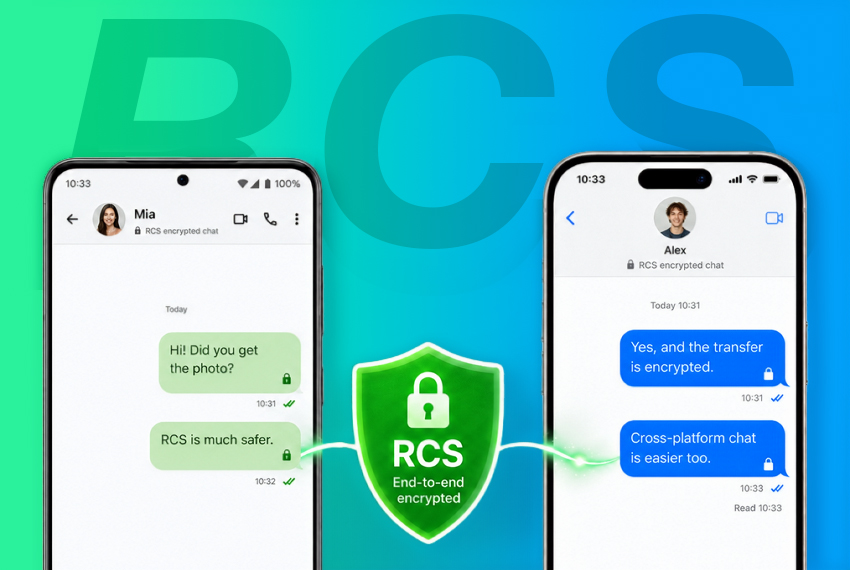
RCS encryption beta is rolling out starting immediately, bringing end to end encryption for messages between Android phones and iPhones, Apple and Google said. The change aims to stop interception of bank verification codes and other private texts that travel unencrypted over SMS or legacy RCS transports.
To understand why this matters, note that SMS has no built in encryption. Messages sent as SMS can be read in transit by a carrier, a network intermediary, or a malicious actor who can access switching points. That is why verification codes or sensitive attachments sent from an Android phone to an iPhone over SMS are exposed while they are in flight.
RCS encryption beta protects without installing any app
Apple and Google have agreed to add point to point encryption to RCS, the richer successor to SMS. The new encryption is enabled by default, so users do not need to change settings. There are three conditions for the encrypted session to start, according to the companies:
- Your Android device is running the latest Google Messages app
- The other person has updated their iPhone to iOS 26.5 or later
- Both carriers support encrypted RCS, carrier rollout details are still being finalized, see Apple support for the latest list (https://support.apple.com/zh-hk/109526)
When all three conditions are met, a 🔒 lock icon will appear at the top of the conversation in Google Messages, indicating the conversation is protected by point to point encryption. That means even Apple and Google cannot read the contents of the messages.
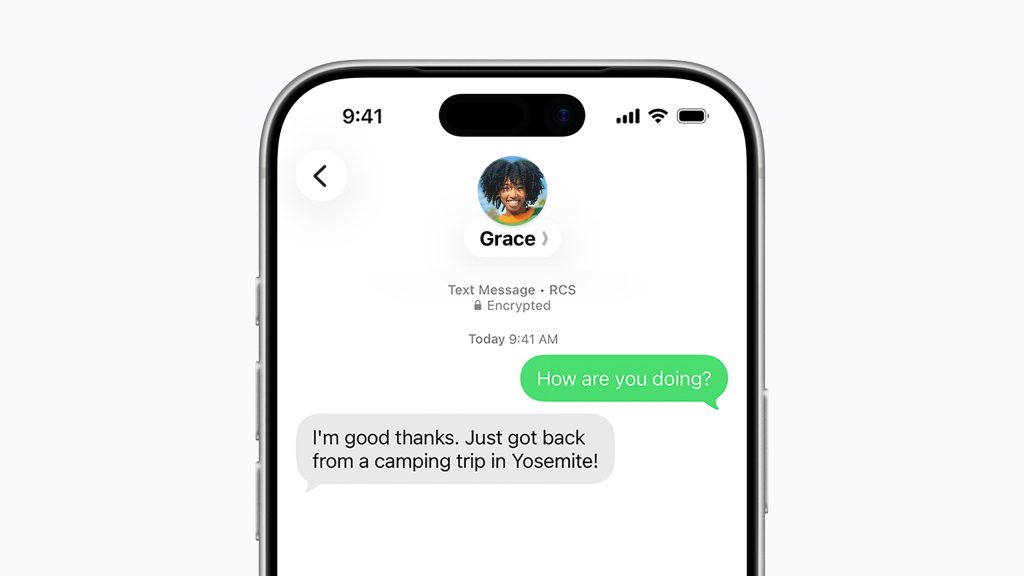
The lock icon is the only marker you need
RCS encryption beta is still a test, and carrier support will vary. In practice, the presence or absence of the lock icon determines if your messages are encrypted:
| Conversation state | What you see in Google Messages | Actual security |
| RCS with encryption enabled | Lock icon at top of conversation, 🔒 | ✅ Point to point encryption, contents cannot be intercepted |
| RCS without encryption support | No lock icon, shows Chat | ⚠️ Transport is not encrypted in transit |
| Standard SMS | No lock icon, shows SMS | ❌ No encryption protection at all |
As a simple habit, check for the 🔒 lock icon before you start any sensitive conversation. If there is no lock icon, switch to a third party encrypted app such as WhatsApp or Signal.
What the encryption protects
Turning on RCS encryption will directly protect several common scenarios:
- Sending bank or system verification codes to a family member with an iPhone, the codes will no longer travel unprotected
- Mixed device workplaces where colleagues use Android and iPhone, native messaging can be encrypted without forcing everyone to install a third party app
- Screenshots or documents that contain personal data become unreadable to carriers and intermediaries
- Messages sent over public Wi Fi, even if the network is monitored, cannot be decrypted without the session keys
Why this collaboration was harder than it looks
Apple and Google are direct competitors in the global smartphone market, so agreeing on a single encryption standard is notable. The move follows the GSMA publishing RCS Universal Profile 3.0 in March 2025, which for the first time included an end to end encryption specification based on the Messaging Layer Security, or MLS, protocol.
Under the GSMA approach, both systems must negotiate encryption keys using the MLS protocol defined by GSMA, instead of each company managing keys independently. The companies are releasing a beta first, which means the feature will continue to be refined, and carrier rollout timelines, including Hong Kong carriers, are not yet finalized.
Whether carriers worldwide will adopt the new standard quickly enough to make the 🔒 lock icon ubiquitous for all conversations remains an open question. For now, the RCS encryption beta provides a native option to keep cross platform messages private, without forcing users to install additional apps.