




WhatsApp username lets users be contacted without sharing their private phone number, WhatsApp said, as the company opens a global reservation system for the new feature.
| Traditional phone-number model | New username model | |
| Search method | Searchable by knowing the phone number | Must enter the exact full username |
| Privacy risk | Phone number tied to services can leak | Private phone number is completely hidden |
| Anti-harassment control | Can only block after receiving messages | Optional four-digit key can block unsolicited contacts |
Communicate without exchanging phone numbers
Users who buy and sell on online marketplaces, or who join school or neighborhood chat groups, often hesitate to hand out a phone number. With the new WhatsApp username option, you can give someone a dedicated username instead of your number, and they will not see your real phone number after the conversation ends, WhatsApp said.
No random discovery of your phone number
WhatsApp designed the system without a public search directory, so a person must type the exact username to start a conversation. That requirement reduces the chance of random or automated attempts to find accounts, according to WhatsApp.
This tradeoff favors privacy over ease of discovery, which is intended to cut down on spam and unsolicited messages without exposing a user’s telephone contact.
Protect usernames with a four-digit key
For extra protection, WhatsApp has added an optional four-digit key for usernames. When the key is enabled, a first-time contact must know both your exact username and the four digits to send an initial message, WhatsApp said.
The company says the setup is built into the app and includes a generator that suggests available usernames to help new users pick one quickly.
Limits for businesses and public contacts
Small businesses and sellers who rely on being discoverable may find the username system less practical, because there is no public directory for customers to search. WhatsApp advised that merchants who depend on random discovery may prefer to continue using a phone-number contact method.
WhatsApp said it has opened the global reservation mechanism, and warned that common English names may be claimed quickly as users register usernames.
How to set up a WhatsApp username
Setting up a WhatsApp username is done in the mobile app and usually takes only a few taps. WhatsApp said the reservation service is rolling out to users globally. Follow these steps to create and reserve a username:
- Update the app: Make sure your WhatsApp app is updated to the latest version.
- Open Settings: In WhatsApp, tap the three-dot menu at the upper right, then tap Settings.
- Tap Account: Select the Account option from the Settings menu.
- Tap Username: Open the Username page.
- Create username: Tap Create username and enter the name you want.
- Save: If the username is available, confirm to save it.
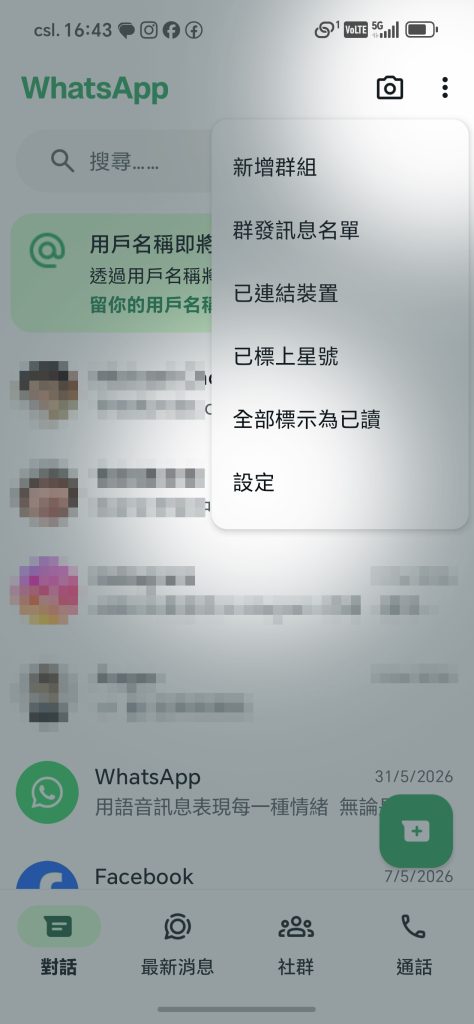
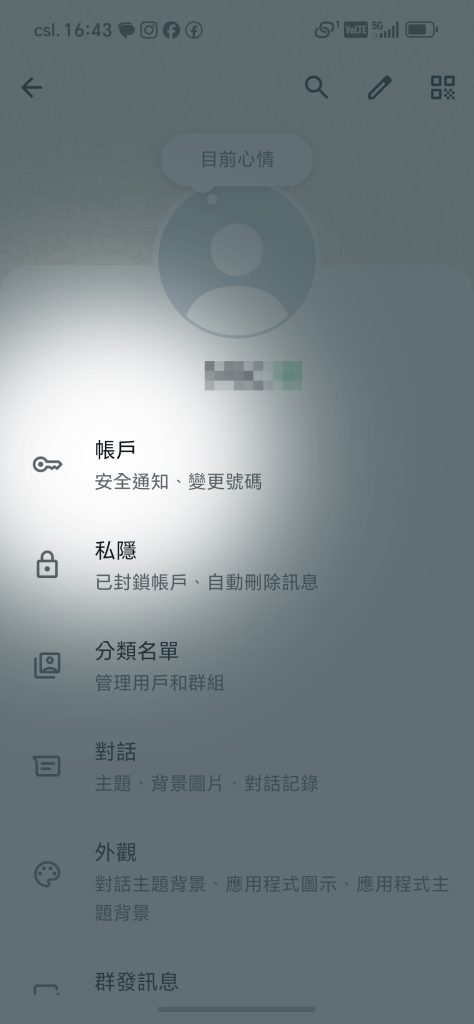
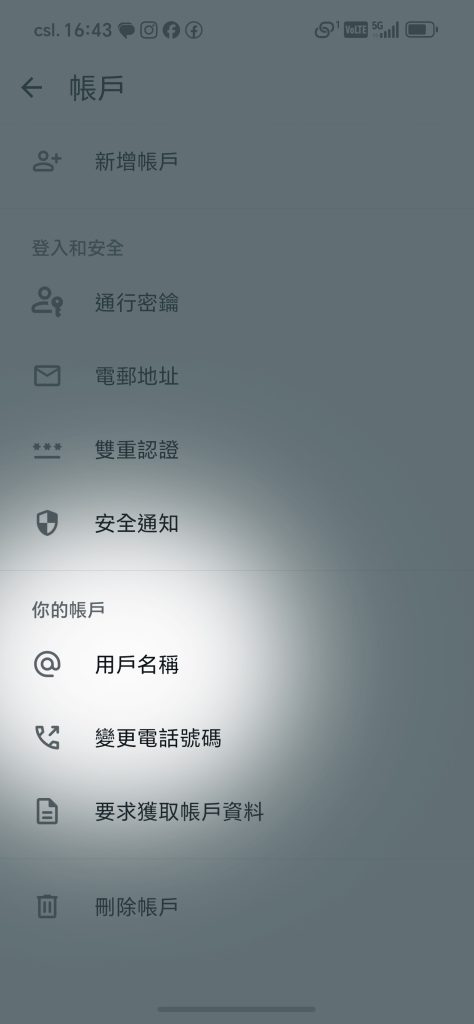
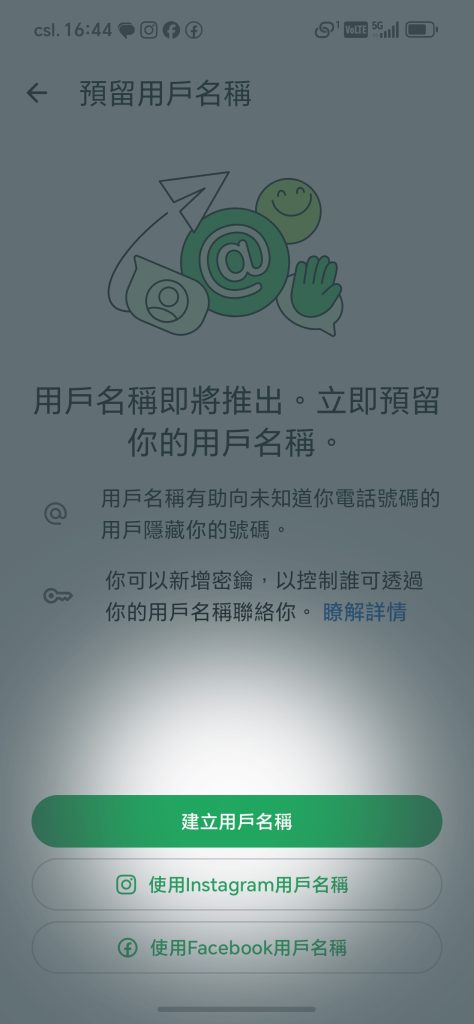
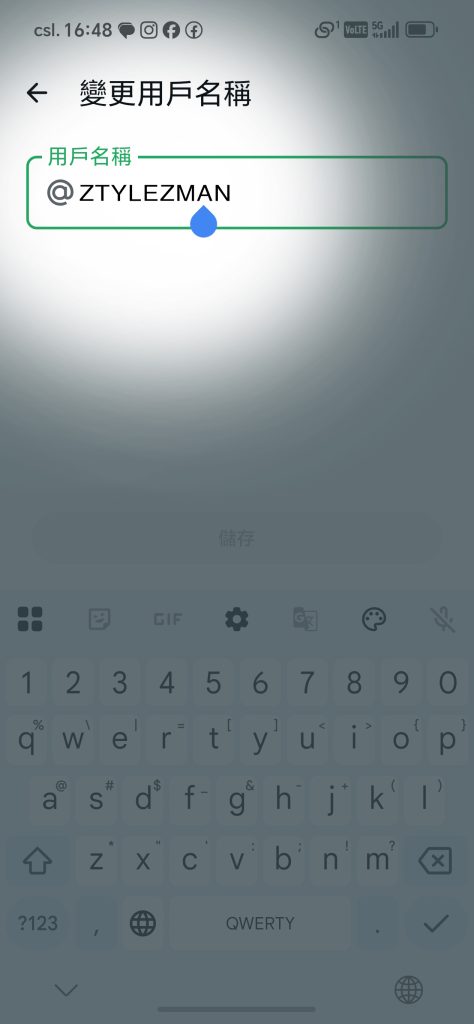

Usernames must be between 3 and 35 characters, and each username is globally unique. If a name you want is already taken, use the built-in suggestion tool or choose a different name.
How to enable the four-digit key
The four-digit key is an optional advanced security setting that blocks first-time contacts unless they know the key. WhatsApp said the feature is in testing and will roll out more widely later.
- Go to Settings and tap Account, then open the Username page.
- After creating and confirming your username, select Contact me by username.
- Change the default from Everyone to People who know my key.
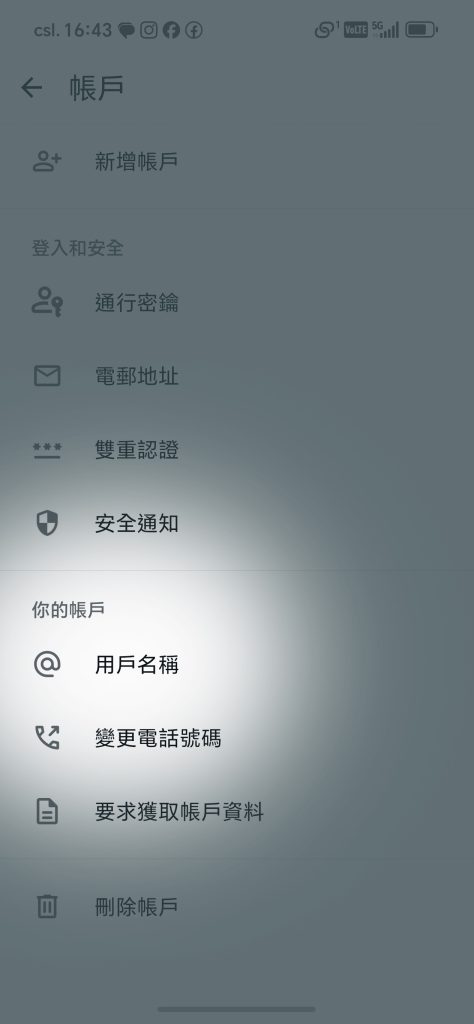

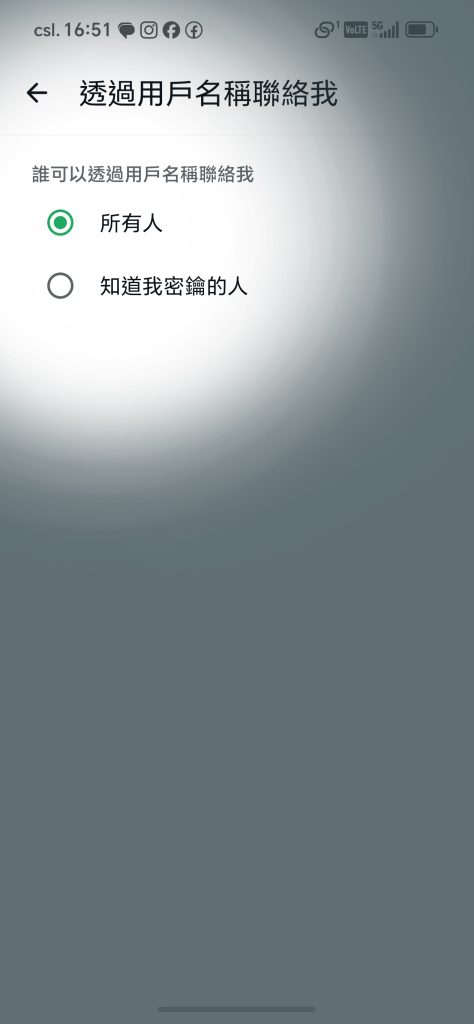
After enabling the key, only new contacts who know both your username and your four-digit key can send the first message. Existing chat threads and people who already have your phone number are not affected.