Gemini map tool now lets users draw an exact area on their phones and ask location specific questions tied to that space, rather than relying on vague proximity guesses.
Key facts at a glance
- Feature: Gemini app map tool, available on Android and iOS only, Google said.
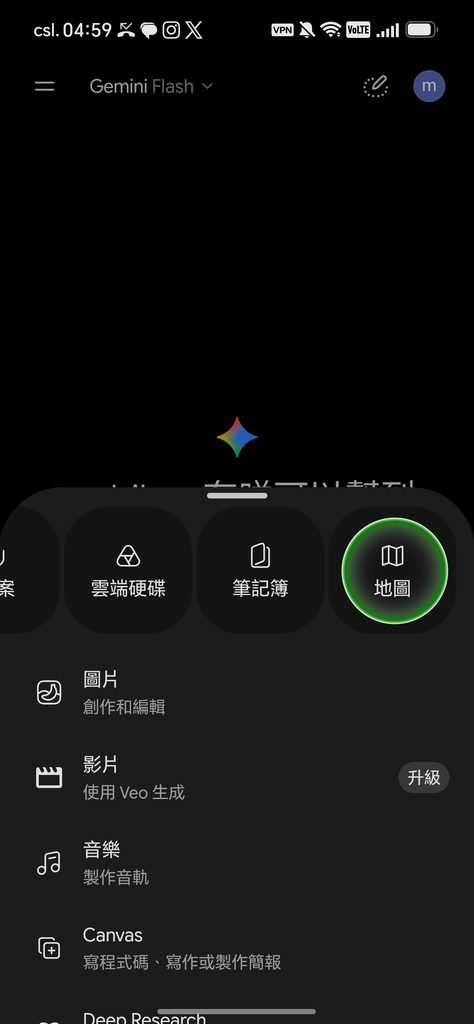
- Where to find it: Tap the plus button, then swipe right to select Map.
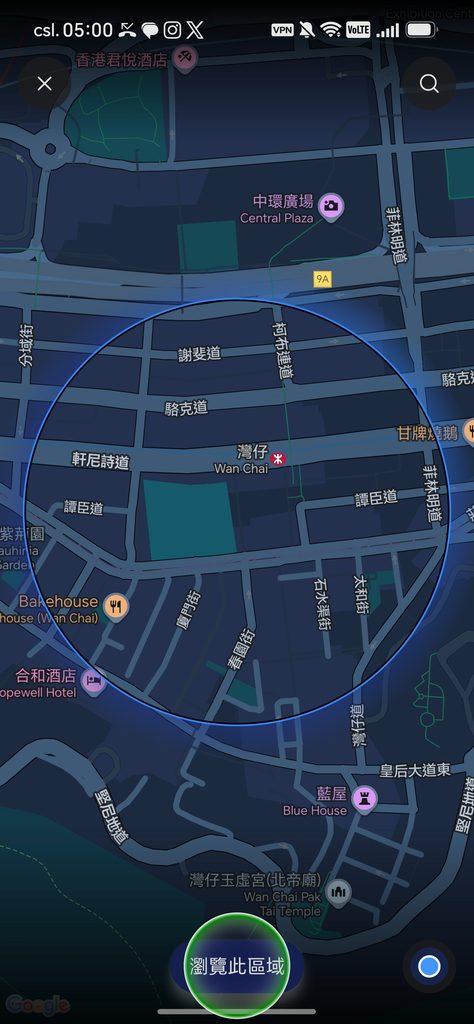
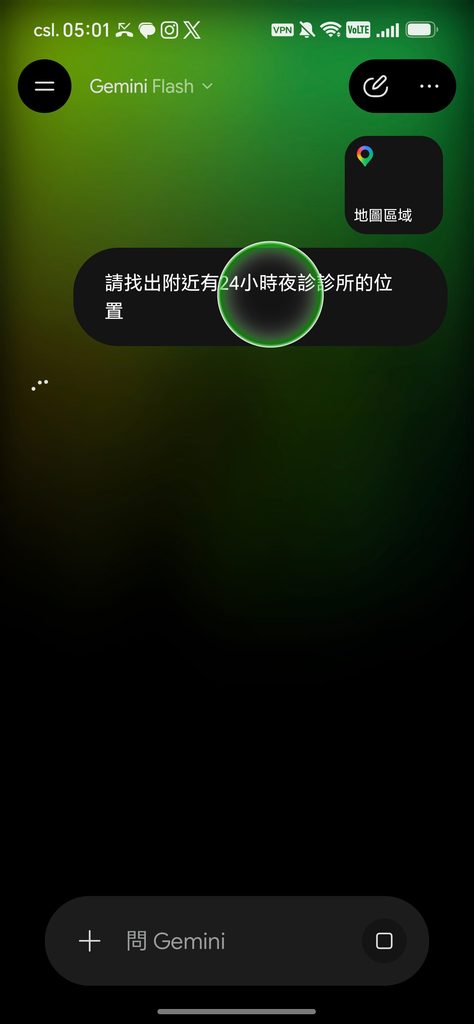
- How it works: Draw a circle on a live map, tap “Explore this area,” and the “Map Area” label is added to your prompt.
How the Gemini map tool works
The new Gemini map tool opens a live map centered on your current location, with a blue circle showing the selected area.
Step by step
In the Gemini app, tap the plus button and swipe to the Map option. The screen displays a live map focused on your location, and you can resize the blue circle to set a search radius.
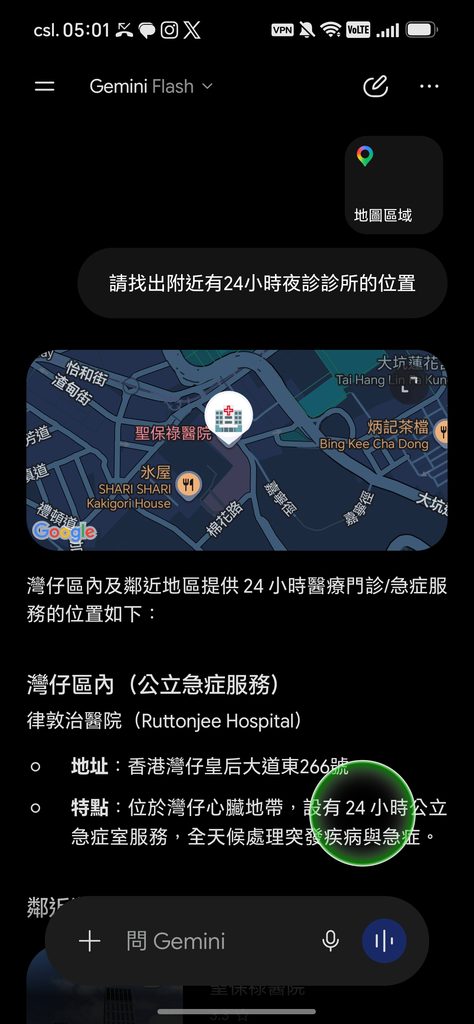
After you adjust the area, tap “Explore this area.” The interface adds a “Map Area” tag to the input box, and subsequent questions you type are automatically tied to that selected zone. This makes it easier to ask for nearby restaurants, transit details, or neighborhood information while the assistant limits answers to that map area.
Availability and limits
Google says the Gemini map tool is limited to mobile for now, and the company did not say whether the same feature will arrive on desktop. Users should not assume search accuracy will be perfect, because Google has not provided details on how location data or ranking will be handled.
The Gemini map tool can be used to find nearby restaurants, check local transit conditions, or get a quick read on a neighborhood when planning a move. It ties the assistant’s responses to the map area you draw, rather than to an unspecified notion of “nearby.”
Beta changes coming to the app
Google also noted a beta interface change inside the Gemini app. Typing at symbol to call skills replaces the previous slash shortcut, and the company said the Gems feature will be renamed skills on Oct. 13. The change is not yet widely rolled out.
For now, try the Gemini map tool when you need location specific answers on your phone, but keep expectations modest while Google refines the feature and its rollout plan.