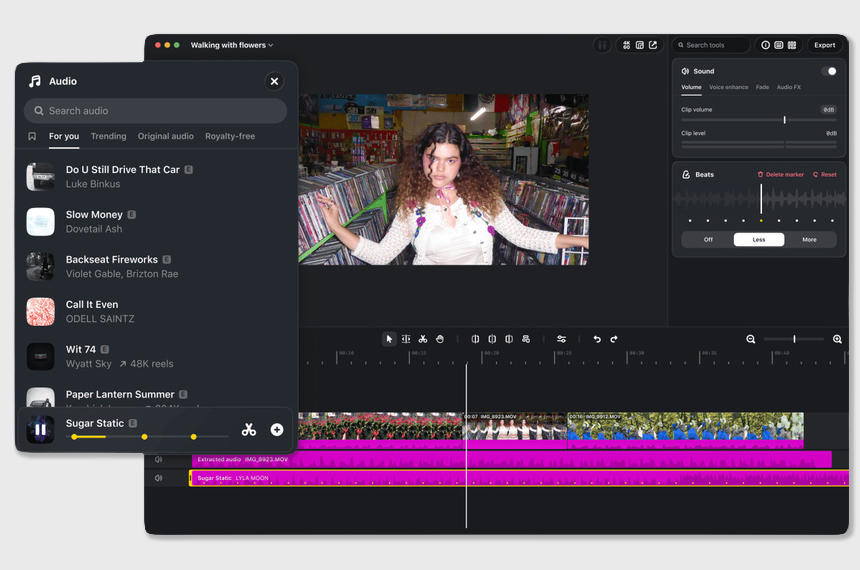
Instagram Edits Mac launched a free desktop app for Apple computers on Nov. 5, bringing multitrack timelines, professional color tools and 4K export without a watermark, Instagram said.
Instagram Edits Mac brings multitrack editing to desktop
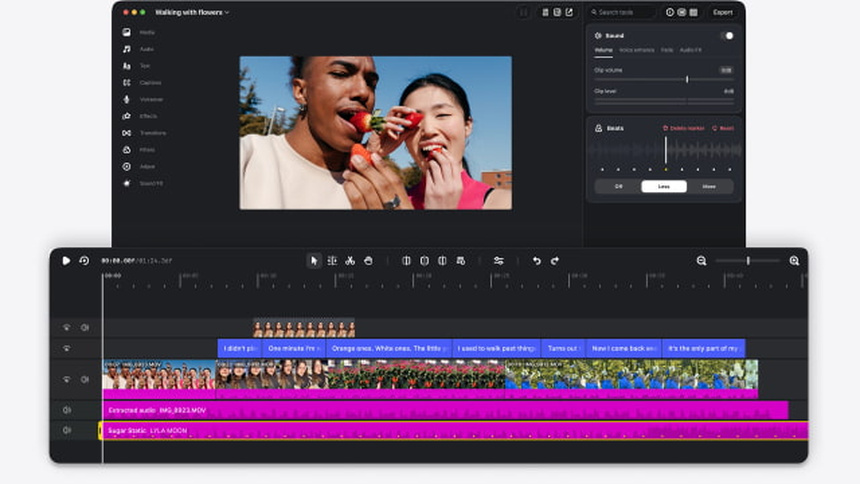
The Mac desktop release moves the editing workspace from a phone screen to a larger display, letting creators use a mouse and keyboard to manage multiple video, music and voiceover tracks, Instagram said. Audio waveforms make it easier to cut to the beat, and keyframes let users set animations and transitions without repeatedly zooming and panning a phone timeline.
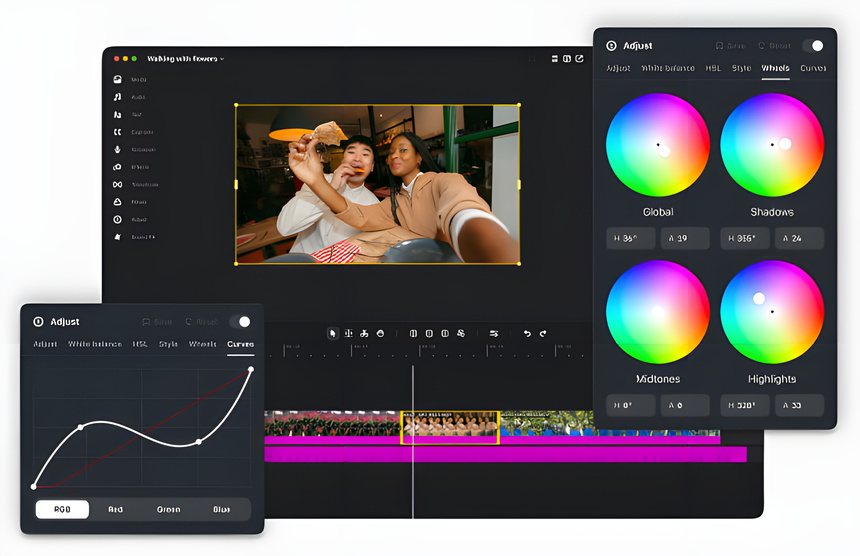
Color tools go beyond filters, with color wheels, curves and Log image transforms, and the app can import LUT color files and custom fonts, Instagram said. Keyboard shortcuts are customizable so editors can match habits from other software, a convenience for frequent Reels creators.
Shared audio and captions, phone libraries sync to desktop
Instagram said the desktop app uses the platform’s licensed music library and royalty free audio, and includes sound effects, video effects and unlimited automatic captions in multiple languages. Audio clips and caption styles saved on a phone will appear on the Mac so users do not need to find the same song or reconfigure subtitle styling.
Free 4K export with no watermark, publish directly to Reels
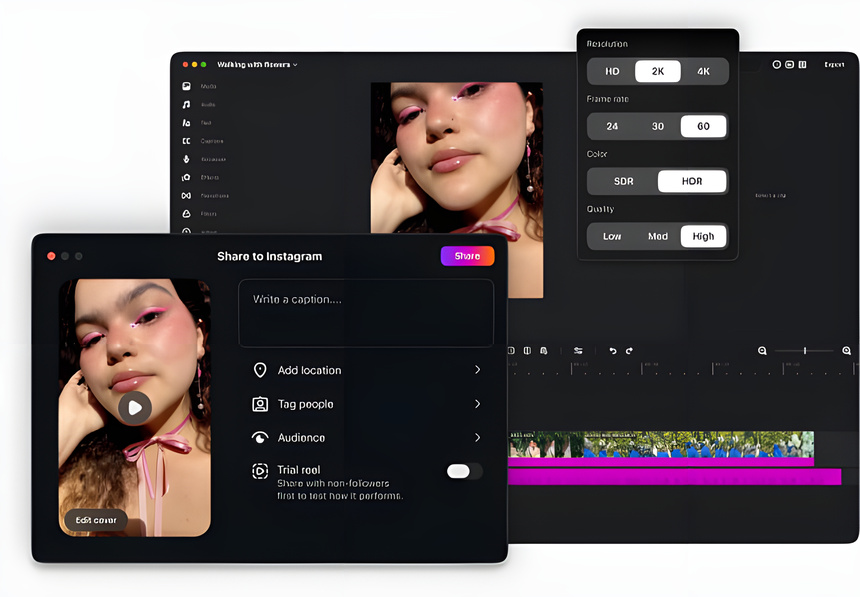
The app supports horizontal and vertical aspect ratios and can export up to 4K without adding a watermark, Instagram said, making it easier to republish to other platforms. Mac users who focus on Instagram can publish directly from the desktop app, add people tags and locations, and try the Trial Reels feature without exporting and moving files back to a phone.
AI can do a rough cut, editors refine the final sequence
Instagram said a new option in settings enables MCP, Model Context Protocol, so compatible third party AI assistants can access Edits tools. For example, an assistant could assemble a rough cut from clips in the Downloads folder, then the creator opens the project and refines shot order and pacing. Instagram named Meta Muse as a demonstration partner, but said availability will depend on each assistant’s compatibility and regional rollout.
Windows users wait, phone projects not yet editable on desktop
Instagram said the desktop release is Mac only for now, and a Windows version is not yet available. The company highlighted an important distinction: syncing saved assets from a phone is not the same as syncing editable projects across devices. Work in progress on a phone cannot yet be opened and continued on a Mac.
Instagram said it is developing cross device project editing and plans weekly updates to the desktop app. Mac users can download the app for free from the Edits desktop page at edits.instagram.com/desktop/, Instagram said.